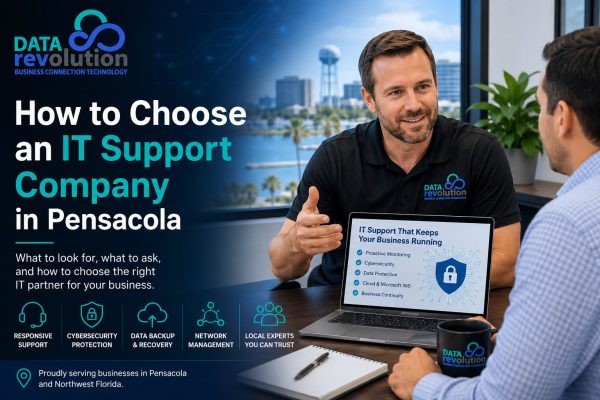
Your IT Company Has Become a Business-Critical Partner
Years ago, choosing an IT company was often about finding someone who could fix a computer, install a printer, or get the internet working again.
That is no longer enough.
Technology now touches nearly every part of a small or midsize business. Employees communicate through email and VoIP phones. Files live in Microsoft 365 and cloud applications. Customer information is stored electronically. Payments travel across networks. Employees may work remotely. Cybercriminals continually look for vulnerable systems, passwords, and users.
When any of those systems fail, the problem isn’t simply an “IT problem.”
It’s a business problem.
That makes choosing an IT support company one of the more important vendor decisions a Pensacola business owner can make.
The right provider can help reduce downtime, improve security, control technology costs, and make it easier for employees to do their jobs. For businesses that have become heavily dependent on technology, managed IT services in Pensacola can also shift IT from reacting to problems toward continuously managing and protecting the systems the business depends on.
The wrong provider may not reveal itself until something important stops working.
So how do you tell the difference before signing an agreement?
1. Start With Response Time, Not Promises
Almost every IT company will tell you it provides “fast support.”
That phrase doesn’t tell you very much.
Ask what fast actually means.
Does the provider have documented response expectations? Are different problems assigned different priorities? What happens if your entire office loses connectivity compared with one employee having a printer problem?
Those incidents shouldn’t be treated the same way.
For a business evaluating IT support in Pensacola, ask questions such as:
- How quickly will you acknowledge a critical support request?
- Do you use service-level agreements (SLAs)?
- How are emergency issues prioritized?
- Is live support available during business hours?
- What support is available after hours?
- How are customers updated while a serious problem is being resolved?
- Can you provide onsite support when an issue cannot be solved remotely?
Data Revolution provides local IT support alongside proactive monitoring and technology management for small and midsize businesses.
Don’t settle for “we usually get back to people pretty quickly.”
Get specifics.
2. Find Out Whether They’re Proactive or Break/Fix
There is an enormous difference between having someone available to repair technology and having someone actively managing it.
Traditional break/fix IT is reactive.
Something breaks. You call. A technician fixes it. You receive a bill.
That model can work for very small organizations with minimal technology requirements, but it creates an obvious problem: the IT provider generally becomes involved after the disruption has already happened.
Managed IT support takes a different approach.
The goal is to monitor, maintain, update, secure, and manage technology continuously so that as many problems as possible are identified before employees ever have to report them.
Ask a prospective IT company:
“What do you do for us during a month when we don’t call you?”
That’s one of the best questions a business owner can ask.
A strong answer should involve monitoring, patching, maintenance, security, backups, system health, network performance, planning, or other proactive work.
If the answer is essentially, “We’ll be here when you need us,” understand what you’re buying.
You’re probably buying repair service—not technology management.
3. Cybersecurity Should Be Part of the Conversation
An IT company that talks extensively about computers but barely mentions security should raise questions.
Today’s IT environment makes the two difficult to separate.
Your employees, endpoints, email, Microsoft 365 accounts, Wi-Fi, firewall, servers, cloud applications, and network all contribute to your overall security posture.
A prospective IT partner should be able to explain how it protects those systems in language a business owner can understand.
Ask about endpoint security, email protection, firewalls, multi-factor authentication, patch management, ransomware protection, employee cybersecurity awareness, backup and recovery, monitoring, and incident response.
Data Revolution’s business cybersecurity services are designed around protecting businesses from threats such as malware, ransomware, phishing, compromised credentials, and other attacks that increasingly target smaller organizations.
If your organization handles regulated or sensitive information, the conversation becomes even more important.
Healthcare organizations may have HIPAA considerations. Businesses accepting payment cards may have PCI requirements. Companies working with government or defense-related organizations may encounter CMMC requirements. Data Revolution also provides business compliance services for organizations dealing with these technology and security requirements.
Your IT provider doesn’t need to frighten you with cybersecurity terminology.
It should be able to explain your risks, show you where improvements are needed, and help you build appropriate layers of protection.
4. Ask What Happens If Your Internet Goes Down
Pensacola businesses have another reason to take business continuity seriously: location.
Storms, hurricanes, power problems, and telecommunications outages are part of operating along the Gulf Coast.
Your IT strategy should account for that reality.
Imagine that your primary internet connection goes down tomorrow morning.
Can employees still work?
Can customers call you?
Can you process transactions?
Can employees securely access important files from another location?
How quickly could operations resume if your office couldn’t be used?
A good Pensacola IT company should be willing to discuss redundancy, backup connectivity, cloud access, data backup, and disaster recovery before the next storm appears in the Gulf.
Data Revolution’s network support services include managed firewalls, routers, switches, Wi-Fi access points, proactive monitoring, and options such as cellular LTE backup connectivity designed to keep businesses connected when a primary internet connection fails.
The time to learn whether your backup plan works is not when everyone is watching the weather forecast.
5. Don’t Confuse Data Backup With Disaster Recovery
Ask any IT provider you’re considering this question:
“If we lost our server or critical business data today, how would you restore us?”
Then listen carefully.
Having a backup is important. Being able to recover the business is what actually matters.
Where is the data backed up? Is another copy stored securely offsite or in the cloud? Is the backup monitored? How do you know it completed successfully? How often is recovery tested? How long could restoration take?
Those are far more useful questions than simply asking, “Do you provide backups?”
A backup that nobody monitors or knows how to restore can create a dangerous sense of security.
This is why a complete data backup and disaster recovery strategy should include not only copies of important data, but monitoring, offsite protection, testing, and a practical method for restoring critical systems when they’re needed.
Your IT company should be able to explain both the backup process and the recovery process.
6. Look at Their Network Expertise
Many recurring “computer problems” aren’t really computer problems.
They’re network problems.
Slow Wi-Fi, dropped VoIP calls, unreliable cloud applications, disconnected printers, unstable point-of-sale systems, poor coverage, and intermittent internet performance can all originate with network infrastructure.
Your IT provider should understand the entire environment: firewalls, routers, switches, wireless access points, internet connectivity, network segmentation, security, and redundancy.
This is especially important as a business grows.
A network built for five employees may struggle when there are 25 employees, VoIP phones, cloud applications, security cameras, guest Wi-Fi, mobile devices, printers, and other connected equipment all competing for resources.
You want an IT partner capable of asking:
“Where is this business going?”
—not merely:
“What isn’t working today?”
7. Make Sure They Understand Microsoft 365 Beyond Installing Office
Microsoft 365 has become central to many businesses, but supporting it involves much more than installing Word, Excel, and Outlook.
A qualified provider should be able to manage Microsoft 365 for your business, including user accounts, email, security settings, multi-factor authentication, permissions, Microsoft Teams, SharePoint, spam and phishing protection, backup, and employee onboarding and offboarding.
One particularly important issue is employee turnover.
When someone leaves your company, who disables access? Who protects the employee’s email and business data? Who changes permissions and makes sure company information remains under company control?
Those details matter.
A good IT provider should have a repeatable process rather than improvising every time an employee joins or leaves.
8. Ask Whether One Company Can Coordinate Your Technology Vendors
Here’s a scenario familiar to many small-business owners.
The phones aren’t working.
The phone company says it’s the internet provider.
The internet provider says the connection is fine and it must be the firewall.
The firewall company says it’s a network configuration issue.
Suddenly, you’re spending half the afternoon coordinating vendors while your employees are trying to work.
That isn’t a good use of your time.
Ask a prospective IT company whether it provides vendor management.
Can your IT provider work directly with your internet provider, software company, phone provider, copier company, or other technology vendors when troubleshooting requires multiple parties?
Having a single point of contact for technology issues can be one of the least glamorous—but most valuable—parts of outsourced IT support.
9. Understand Exactly What You’re Paying For
Don’t choose an IT provider solely because it submitted the lowest quote.
At the same time, don’t accept vague pricing.
Two IT proposals that appear similar on the surface can include dramatically different services.
One may include monitoring, maintenance, security, remote support, backup management, network management, and strategic planning.
Another may charge separately whenever someone needs help.
Ask exactly what the monthly price includes and what generates an additional charge.
Is remote support included? Is onsite service included? Are projects billed separately? Are there after-hours charges? Is cybersecurity included or optional? Are backups included? Is network management included? What happens when you add employees or devices?
Predictability matters.
The goal isn’t necessarily finding the cheapest IT company in Pensacola.
It’s understanding the total value and total cost of what you’re buying.
10. Look for Experience With Businesses Like Yours
A five-person accounting office has different technology risks from a restaurant.
A medical practice has different requirements from a construction company.
A law firm may prioritize document security, uptime, email, and confidentiality. A restaurant may be heavily dependent on POS systems, internet connectivity, Wi-Fi, phones, and payment security. A contractor may need employees to access information securely from multiple jobsites.
Ask prospective IT providers about their experience with organizations similar to yours.
More importantly, see whether they ask questions about your business.
A technology company shouldn’t recommend solutions before understanding how your employees work, what systems you depend on, what information you protect, where your vulnerabilities are, and what happens financially when technology stops working.
11. Local Support Still Has Value
Remote IT support is incredibly effective. Many everyday problems can—and should—be resolved remotely.
But remote support can’t physically replace failed equipment, inspect cabling, troubleshoot certain network problems, install hardware, or walk into your office when hands-on help is required.
That makes local presence worth considering when choosing a Pensacola IT support company.
Ask where the technicians who support you are actually located.
Data Revolution is based at 3298 Summit Blvd., Suite 3 in Pensacola and serves businesses throughout Northwest Florida and Southeast Alabama.
For Pensacola businesses, having both remote capabilities and access to a local team can provide a useful combination: fast remote troubleshooting for everyday issues and onsite assistance when the problem requires someone physically present.
12. Pay Attention to How They Communicate
This is easy to overlook during the sales process.
Don’t.
Technology will eventually fail somewhere. No provider can promise otherwise.
What matters tremendously is how the company communicates when that happens.
Does the provider explain problems in understandable language?
Will you receive updates during an outage without repeatedly asking for them?
Will technicians tell you what happened and what they’re doing about it?
Can employees comfortably contact support?
Your IT company may eventually interact with nearly everyone in your organization. Technical ability matters, but so do patience, communication, accountability, and professionalism.
A provider that makes employees reluctant to ask for help can create problems of its own.
13. Ask About Scalability Before You Need It
Choose an IT company for the business you’re building, not only the business you have today.
Perhaps you have one office now but expect to open another.
Maybe you have 12 employees and expect to have 30.
You might be planning to move more applications to the cloud, upgrade your phone system, strengthen cybersecurity, hire remote employees, or expand into another Pensacola-area location.
Ask how the provider would support that growth.
Your technology shouldn’t have to be rebuilt every time the business reaches another milestone.
A capable IT partner should help create an infrastructure that can grow with you.
Red Flags When Choosing an IT Support Company
No single warning sign automatically means a company is wrong for you, but several should prompt more questions.
Be cautious if a provider:
- Can’t clearly explain its response-time expectations
- Only talks about fixing problems rather than preventing them
- Treats cybersecurity as a separate afterthought
- Can’t explain how backups are monitored and restored
- Provides vague answers about what’s included in its pricing
- Doesn’t ask about your business or industry
- Has no plan for major outages or disaster recovery
- Can’t explain who will actually handle your support
- Pushes products before understanding your needs
- Uses technical jargon instead of explaining recommendations clearly
The sales conversation itself can tell you quite a bit.
A good technology company should spend a significant amount of time learning before prescribing.
Questions to Ask an IT Company Before Signing
You don’t need to be an IT expert to interview an IT provider.
Take these questions with you:
- What is your response time when our business has a critical problem?
- Do you have documented SLAs?
- What support is available outside normal business hours?
- What do you proactively monitor and maintain?
- How do you protect our systems against ransomware and other cyber threats?
- How are our backups monitored, and how would you restore us after a failure?
- Can you provide onsite support in Pensacola when necessary?
- Do you manage Microsoft 365 accounts, security, and employee access?
- Will you coordinate with our other technology vendors when there’s a problem?
- What’s included in our monthly fee, and what costs extra?
- What experience do you have supporting businesses like ours?
- How would you help us prepare for a hurricane, internet outage, or office disruption?
- How will our technology plan change as our company grows?
- Who will be responsible for our account and technology strategy?
- What does onboarding look like if we decide to work with you?
The answers will tell you much more than a price sheet.
Comparing Pensacola IT Support Companies
| What to Compare | Questions to Ask | What a Strong Provider Should Demonstrate |
|---|---|---|
| Response | How quickly will you respond when we’re down? | Defined priorities and response expectations |
| Support Model | Do you prevent problems or only fix them? | Monitoring, maintenance and proactive management |
| Cybersecurity | How will you protect our business? | Layered security and ongoing monitoring |
| Backup & Recovery | How quickly can our data and systems be restored? | Monitored backups and a defined recovery process |
| Network Management | Do you manage firewalls, switches and Wi-Fi? | Complete network expertise |
| Microsoft 365 | Do you manage security, users and permissions? | More than basic Office installation |
| Local Support | Can someone come onsite? | Local or clearly defined onsite capabilities |
| Vendor Management | Who calls our ISP when there’s a problem? | One point of contact |
| Pricing | What is and isn’t included? | Clear, predictable costs |
| Planning | How will you support our growth? | Long-term technology strategy |
Why Pensacola Businesses Should Think Beyond “Computer Repair”
The biggest shift a business owner can make when evaluating IT support is to stop thinking about IT as computer repair.
The real question isn’t:
“Who can fix our computers?”
It’s:
“Who can keep our business technology reliable, secure, recoverable, and ready for what comes next?”
That’s a much higher standard.
And it reflects how dependent modern Pensacola businesses have become on technology.
A few hours of downtime can affect employees, customers, payments, appointments, phone calls, and revenue. A compromised email account can become a security incident. An unreliable network can make expensive cloud software nearly unusable. An untested backup can become disastrous when data is actually needed.
The right IT company helps manage those risks before they become emergencies.
Why Consider Data Revolution for IT Support in Pensacola?
Data Revolution is a Pensacola-based technology company serving small and midsize businesses across Northwest Florida and Southeast Alabama.
Our approach is built around three straightforward goals:
Responsive Support. Controlled Technology Costs. A Single Point of Contact.
We help businesses manage the technology they depend on every day, including IT support, cybersecurity, network support, Microsoft 365, data protection and backup, VoIP phone systems, and compliance-related technology needs.
We also believe technology should be understandable.
Business owners shouldn’t have to become network engineers or cybersecurity specialists to make sensible technology decisions. Our job is to understand the technical details and translate them into practical recommendations that make sense for your organization.
If you’re evaluating IT companies in Pensacola, we’d be happy to have a conversation about your current technology, what’s working, what’s frustrating you, and where your business is headed.
No jargon-filled lecture.
Just a practical discussion about whether we’re the right fit.
Frequently Asked Questions
How do I choose the best IT support company in Pensacola?
Start with response times, proactive monitoring, cybersecurity, backup and disaster recovery, network expertise, Microsoft 365 capabilities, local support, pricing transparency, and experience with businesses similar to yours. Don’t choose solely on monthly price.
Should I choose a local Pensacola IT company or a national provider?
Both models can work, but local support has advantages when you need onsite troubleshooting, network installation, equipment replacement, or someone familiar with local business conditions. Ideally, your provider should combine efficient remote support with reliable onsite service when necessary.
What’s the difference between managed IT services and break/fix IT support?
Break/fix support generally responds after something fails. Managed IT services focus on ongoing monitoring, maintenance, security, support, and prevention. The managed model is designed to reduce problems and make technology costs more predictable.
Should cybersecurity be included with IT support?
Cybersecurity should at least be an integral part of the IT strategy. Computers, email, Microsoft 365, networks, employee accounts, firewalls, and backups all affect security. Ask exactly which cybersecurity services are included and which require additional services.
Does my small business really need managed IT support?
It depends on how dependent your business is on technology. If downtime, lost data, compromised accounts, unreliable internet, or inaccessible business applications would interfere with operations, professional IT management may provide significant value even for a relatively small company.
How important is onsite IT support?
Many problems can be resolved remotely, which usually provides the fastest response. However, hardware failures, cabling, network equipment, office moves, and certain connectivity problems may require onsite assistance. Businesses should understand a provider’s onsite capabilities before signing an agreement.
What should I ask about IT backup and disaster recovery?
Ask where your data is stored, how frequently it’s backed up, whether backups are monitored, how recovery is tested, and approximately how quickly critical systems could be restored. The important question isn’t merely whether a backup exists; it’s whether the business can recover from it.
Can an IT company help prepare my Pensacola business for hurricanes?
Yes. Technology planning can include cloud and offsite backups, redundant internet connectivity, remote-work capabilities, network redundancy, data protection, and disaster recovery procedures. Gulf Coast businesses should address these issues well before hurricane conditions threaten the area.
Choosing an IT Company Is Really About Choosing What Happens Next
Most businesses don’t start looking for IT support because everything is perfect.
Something usually triggers the search.
Support has become too slow. Technology problems keep returning. The company has grown. Cybersecurity is becoming a concern. An existing IT person can’t keep up. Employees are frustrated. A business owner is tired of being the unofficial technology department.
Whatever brought you to this point, don’t simply replace one person who fixes problems with another person who fixes problems.
Look for a technology partner capable of helping prevent them.
The best IT support company for your Pensacola business should understand where you are today, help protect what you’ve built, and make sure your technology is ready for where you’re going next.
Looking for an IT Support Company in Pensacola?
If you’re comparing IT providers or wondering whether your current technology support is still the right fit, start with a conversation.
We help small and midsize businesses stay connected, secure and productive with responsive IT support and practical technology solutions built around the way they work. That includes business phone system installation and hosted VoIP phone systems, reliable business networking and internet solutions, WiFi installation, cybersecurity protection, Microsoft 365 support, cloud backup, server management, remote IT support, structured cabling and complete network installations. We also help organizations address important business compliance requirements as their technology and security needs evolve.
Whether you’re dealing with recurring IT problems, planning an office expansion, upgrading an outdated phone system or looking for a technology partner who can support your company as it grows, Data Revolution provides local expertise without making IT more complicated than it needs to be. We support businesses in healthcare, retail, hospitality, professional services, restaurants and organizations operating across multiple business locations.
Need better IT support for your Gulf Coast business? Contact Data Revolution today to discuss your technology needs and learn how our team can help reduce downtime, strengthen security and keep your employees productive.
Data Revolution helps Pensacola businesses simplify technology, strengthen security, reduce downtime, and build systems designed around how their organizations actually work.
Call Data Revolution at (850) 972-9972 or schedule an online consultation to discuss your business technology needs.
Technology simplified—so you can focus on your business.