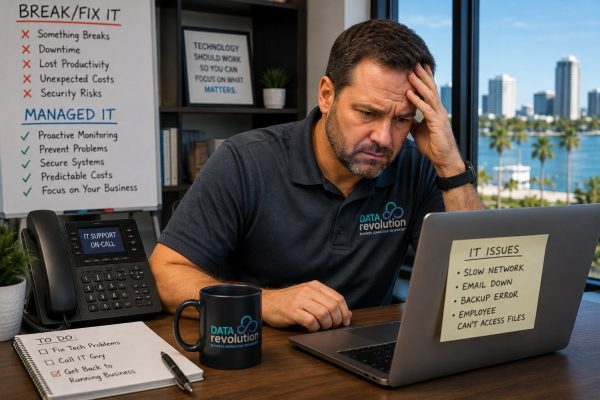
When “Call the IT Guy When Something Breaks” Stops Working
For a small business with a few computers, basic software, and relatively simple technology needs, break/fix IT support can seem perfectly reasonable. Something stops working, you call someone, they fix it, you pay the bill, and everybody gets back to work. There’s nothing inherently wrong with that arrangement, and it can make sense during the early stages of a business when technology is relatively simple and the consequences of occasional downtime are manageable.
The problem is that businesses change. You add employees, more of your operations move online, Microsoft 365 becomes essential, customer information is stored digitally, and employees may begin working remotely. Add cloud applications, VoIP phones, Wi-Fi devices, cybersecurity tools, servers, backup systems, or another location, and technology gradually becomes part of the infrastructure that keeps the entire company running.
Yet many businesses continue managing that increasingly important infrastructure the same way they did when they had five employees: wait until something breaks, then call somebody. At some point, that approach becomes expensive. The repair bill itself may not be the biggest problem; the larger cost can come from employees who can’t work, customers who can’t reach you, transactions that can’t be completed, security risks that go unnoticed, and business owners spending valuable time troubleshooting technology.
That’s where managed IT services in Pensacola represent a fundamentally different approach. Instead of waiting for a failure to trigger an IT call, systems can be monitored, maintained, secured, and supported continuously.
Here are seven signs your Pensacola business may have reached the point where break/fix IT is no longer enough.
1. The Same IT Problems Keep Coming Back
A computer freezes, someone fixes it, and two weeks later it freezes again. The Wi-Fi becomes unreliable, somebody resets something, and it improves until the problem returns. Employees can’t access a shared drive, Outlook stops syncing, a printer disappears from the network, or VoIP calls become choppy.
Each problem gets solved individually, but nobody seems to be asking why the problems keep happening. That’s one of the clearest differences between break/fix support and managed IT. Break/fix support is usually built around an incident: What’s broken right now? A managed approach asks a broader question: Why did this happen, and what can we change so it doesn’t keep happening?
Recurring problems may indicate aging equipment, network configuration issues, software conflicts, insufficient capacity, missed updates, hardware nearing failure, or a technology environment that has simply grown beyond its original design. Continually repairing the symptoms may eventually cost more—in both money and lost productivity—than addressing the underlying problem.
If employees have developed phrases like “the Wi-Fi does that sometimes” or “just restart it when that happens,” pay attention. Your business may have normalized technology problems that shouldn’t be normal. A broader IT support strategy can address the computers, users, software, servers, and network components behind those recurring frustrations rather than treating every incident as an isolated repair.
2. Employees Are Losing Too Much Time to Technology Problems
IT downtime isn’t limited to dramatic situations where an entire server crashes. Most technology-related productivity loss is much less spectacular: an employee spends 20 minutes trying to reconnect to Wi-Fi, someone else can’t access a file, a manager spends half an hour troubleshooting an email problem, or three employees wait while a business application loads painfully slowly.
Eventually everybody gets working again, so no single incident feels catastrophic. But add those minutes across an entire company, week after week, and the cost becomes significant.
Consider a Pensacola business with 20 employees. If each employee loses only 15 minutes per day to recurring technology frustrations, that’s five hours of productivity disappearing every business day. Over a 20-day work month, that’s roughly 100 employee hours—and that doesn’t include the time managers or business owners spend trying to solve the problems.
When evaluating what IT is costing your business, don’t look only at the support invoice. Employee productivity, management time, downtime, recurring problems, and risk all belong in the calculation.
3. Your Business Has Become Too Dependent on Technology to Wait for Failure
Think about what would happen if your technology stopped working tomorrow morning. Could employees access email and important files? Could customers reach you? Could you process payments? Would your phones work? Could employees use the applications they need or securely work from another location?
Ten or fifteen years ago, a computer problem might inconvenience part of a business. Today, a technology outage can stop the entire company. That changes the economics of IT support because the financial impact of downtime can become much larger than the cost of preventing the problem in the first place.
This is particularly important for Pensacola companies operating in industries where employees and customers expect immediate access to information. Medical practices depend on systems for scheduling and patient information. Law firms depend on email and documents. Restaurants and retailers rely on POS systems and internet connectivity. Professional offices increasingly depend on cloud applications and Microsoft 365.
Technology is no longer sitting quietly in the back office. When it becomes woven into nearly every part of the business, your IT strategy needs to reflect that reality.
4. Nobody Is Really Responsible for Cybersecurity
Ask a simple question inside your company: Who is responsible for cybersecurity? If everyone looks at someone else, you’ve found a problem.
Break/fix IT traditionally focuses on things that stop working, while cybersecurity is largely about preventing something from happening in the first place. That requires ongoing attention to endpoint protection, software patching, email security, firewalls, multi-factor authentication, employee access, backups, phishing, compromised passwords, and security monitoring.
Waiting until there’s a cybersecurity problem before calling IT is a risky strategy. A growing business needs someone taking responsibility for the security of its technology environment, even if the company isn’t large enough to justify its own full-time cybersecurity department.
Data Revolution’s business cybersecurity services take a proactive approach to protecting email, internet access, gateways, workstations, and servers. Cybersecurity becomes part of managing the technology environment rather than something considered only after an incident.
If you’re not sure who’s responsible for protecting your systems today, that’s a strong sign your IT model deserves another look.
5. You Have Backups, but Nobody Is Sure They Would Actually Work
Here’s a surprisingly difficult question for many businesses: When was the last time somebody verified that your backup could actually restore your data?
That’s different from asking whether the backup software reported “successful.” Backups can fail, storage can become corrupted, credentials can change, backup jobs can stop running, and important folders can accidentally be excluded. A backup can even complete successfully while failing to protect some of the information the business actually needs.
Even when the data is there, another question remains: how long would recovery take? If your server failed this afternoon, would you be operational again in an hour, tomorrow, or next week?
Nobody wants to discover the answer during an emergency. A proper data backup and protection strategy should address not only whether data is being copied, but whether those backups are monitored, protected, and capable of helping the business recover when something goes wrong.
That matters for every business. For companies operating along the Gulf Coast, it deserves even more attention.
6. Hurricane Season Makes You Nervous About Your Technology
Pensacola businesses don’t have to imagine every business continuity scenario. Hurricane season gives us an annual reminder that business operations can be disrupted for reasons completely outside our control.
What happens if employees can’t reach the office or the building loses power? What if the primary internet connection fails? Can employees securely work from somewhere else? Are important files stored only inside the office? Are backups geographically separated from the systems they’re protecting? Can customers still reach the business, and how quickly could operations resume after a serious storm?
A break/fix relationship may help repair equipment after something happens. A proactive IT strategy asks those questions before the storm arrives and develops a plan around the answers. That may involve cloud services, offsite backups, remote-access planning, redundant connectivity, cellular internet failover, network protection, documented recovery procedures, and testing.
Reliable business network support also becomes part of that continuity discussion. A managed network can include proactive monitoring, security updates, managed networking equipment, and failover options such as LTE backup internet when the primary connection fails.
Pensacola businesses shouldn’t be designing their disaster recovery strategy while watching a named storm move across the Gulf. If hurricane preparation sends everyone scrambling to figure out where files are stored and whether employees can work remotely, your business has probably outgrown reactive IT.
7. The Business Owner Has Become the Unofficial IT Manager
Who handles technology problems in your company? If the answer is the owner, general manager, office manager, or whichever employee happens to be “good with computers,” it’s worth calculating how much time that person is actually spending on IT.
An employee can’t log in, so they call you. The internet slows down, so you call the ISP. Someone needs a new laptop, so you research one. A new employee starts Monday, so somebody has to create accounts. Then the printer stops working, someone receives a suspicious email, the Wi-Fi drops, a vendor needs network access, or you discover that a former employee still has access to an account.
None of those tasks may consume an entire day, but collectively they can turn a business owner or highly paid employee into an unofficial IT manager. At some point, that stops being resourceful and starts becoming expensive.
If your company is paying a manager, executive, or skilled employee to repeatedly troubleshoot technology, you’re already paying an IT cost—it simply isn’t appearing on an IT invoice. A managed provider gives employees a defined place to go for help and gives the business someone responsible for maintaining the technology environment. That can return a surprising amount of time to the people whose actual jobs have nothing to do with IT.
Break/Fix IT vs. Managed IT Services
The difference between the two models becomes clearer when you compare what each is designed to accomplish.
| Area | Break/Fix IT | Managed IT Services |
|---|---|---|
| Primary approach | Reactive | Proactive |
| When IT gets involved | After something breaks | Continuously |
| Monitoring | Usually limited | Ongoing |
| Maintenance | As requested | Planned and ongoing |
| Cybersecurity | Often separate | Integrated into IT strategy |
| Backup oversight | May be limited | Monitored and managed |
| Support costs | Vary with incidents | More predictable |
| Technology planning | Usually project-based | Ongoing |
| Employee support | Call when something fails | Defined support process |
| Goal | Repair the problem | Reduce problems and manage the environment |
Neither model is automatically right for every company. The important question is whether the model still fits the business you’ve become.
Break/Fix Can Become More Expensive Than It Looks
One reason businesses stay with break/fix IT is cost. Why pay every month if nothing is broken? It’s a reasonable question, but it looks only at the IT invoice.
Suppose a server problem requires three hours of technical work. The repair itself might not be particularly expensive, but what happened during those three hours? If 15 employees couldn’t work, the business didn’t experience only three hours of lost productivity. Collectively, it experienced 45 employee-hours of downtime.
If customers couldn’t reach you, transactions couldn’t be processed, employees couldn’t access business applications, or management spent those same three hours coordinating the response, the real cost could be higher still.
This is why comparing managed IT with break/fix support based solely on the technician’s bill can be misleading. A more useful calculation considers IT expense + employee downtime + management time + lost business + risk. Once technology becomes central to operations, preventing problems can become considerably more valuable than simply repairing them efficiently.
Growth Changes Your IT Requirements
Technology tends to become more complicated quietly. One employee becomes five, five becomes fifteen, and one cloud application becomes six. You add Microsoft 365, Teams, VoIP, remote employees, security cameras, guest Wi-Fi, laptops, mobile devices, cloud storage, and industry-specific applications. Perhaps eventually you open another office.
Nobody wakes up one morning and announces, “Today our technology officially became complicated.” It happens gradually, which is why businesses often continue using an IT model designed for the company they were several years ago.
If your organization has grown, it may be worth asking whether your approach to technology has grown with it.
Microsoft 365 Is a Good Example
Many businesses think of Microsoft 365 primarily as Word, Excel, Outlook, and email. In practice, it can also involve identity management, security, Teams, SharePoint, permissions, employee onboarding and offboarding, multi-factor authentication, data sharing, and access control.
As a company grows, those details become more important. When someone leaves the company, who disables the account, removes access to company information, preserves necessary email, and checks permissions? When a new employee starts, who makes sure they receive the access they need without gaining access to information they shouldn’t have?
Professional Microsoft 365 management and support can cover licensing, setup, migration, security, email, cloud storage, and ongoing support. At that point, Microsoft 365 is no longer simply software installed on a computer; it’s part of the company’s operating infrastructure.
When Does Managed IT Make Sense for a Small Business?
There’s no magic employee count. A five-person company with complex technology or sensitive data might need more IT management than a 30-person company with relatively simple systems. Instead of focusing only on company size, look at dependency and risk.
Managed IT becomes worth considering when:
- Downtime materially affects revenue or productivity
- Employees regularly need technical support
- Cybersecurity has become a business concern
- The company stores important or regulated information
- Microsoft 365 or cloud services are essential to daily operations
- Nobody is actively monitoring backups and security
- The network has become more complicated
- Remote employees need secure access
- Technology problems repeatedly reach management
- The company is growing or adding locations
If several of these describe your Pensacola business, the conversation probably shouldn’t be only about whether you can continue using break/fix IT. The better question is whether doing so still makes financial and operational sense.
What Should Managed IT Services Actually Include?
“Managed IT” can mean different things depending on the provider, so don’t assume every company offering managed services includes the same things. A comprehensive arrangement may involve proactive monitoring, maintenance, remote support, cybersecurity, network management, backup oversight, Microsoft 365 administration, vendor coordination, employee onboarding and offboarding, and longer-term technology planning.
More importantly, ask what’s not included. Are onsite visits extra? Are projects billed separately? Is after-hours support included? Are cybersecurity tools or backups separate? What happens when you add an employee or another location?
A predictable monthly price is valuable only when you understand what that price actually buys.
What About Compliance?
As businesses grow, regulatory and contractual technology requirements can also become more important. A medical or dental practice may need to consider HIPAA, businesses processing payment cards encounter PCI requirements, and organizations working with government agencies or defense contractors may face cybersecurity requirements connected with CMMC or other standards.
Your IT provider shouldn’t necessarily replace your attorney, auditor, or compliance specialist. However, technology is involved in many compliance requirements, so your provider should understand how security, access controls, networks, data protection, and documentation fit into the picture.
Data Revolution provides HIPAA, PCI, and CMMC business compliance support for organizations navigating technology-related requirements. A reactive “call us when something breaks” relationship becomes increasingly inadequate when customers, insurers, regulators, or business partners begin asking detailed questions about how your technology is secured.
The Cyber Insurance Question Is Becoming Important Too
Cyber insurance is another reason businesses need to understand their technology and security posture. Applications may ask detailed questions about multi-factor authentication, backups, endpoint protection, employee security training, access management, and other safeguards.
Those aren’t questions a business owner wants to answer with, “I think our IT guy handles that.” You should know which protections are actually in place, which need improvement, and who is responsible for maintaining them.
A managed technology relationship can make those answers considerably easier to establish because security responsibilities and technology controls are being addressed continuously rather than reconstructed whenever an insurer, customer, or auditor asks about them.
Questions to Ask Before Moving From Break/Fix to Managed IT
If you’re considering changing your IT model, don’t simply ask, “How much per month?” Ask questions that reveal what the provider will actually take responsibility for:
- What exactly will you monitor?
- What maintenance will you perform proactively?
- How quickly do you respond to critical issues?
- What cybersecurity protections are included?
- How will you manage and monitor our backups?
- What happens if we need onsite support?
- How do you manage Microsoft 365?
- Will you coordinate with our internet, software, and phone vendors?
- How do you handle employee onboarding and offboarding?
- What happens after business hours?
- What services cost extra?
- How will you help us plan future technology investments?
The answers should tell you whether you’re purchasing a support contract or gaining someone who will actually take responsibility for managing your technology.
Frequently Asked Questions
What is break/fix IT support?
Break/fix IT is a reactive support model in which a business contacts an IT provider when a computer, network, server, application, or other technology stops working. The provider repairs the problem and typically charges for the work performed.
What are managed IT services?
Managed IT services provide ongoing technology management rather than relying exclusively on repairs after failures. Services may include monitoring, maintenance, support, cybersecurity, backups, network management, Microsoft 365 administration, and technology planning.
Is break/fix IT cheaper than managed IT?
It can appear cheaper because the business generally pays only when service is required. However, businesses should also consider downtime, lost employee productivity, management time, security risks, and the cost of recurring problems when comparing the two models.
How do I know if my Pensacola business needs managed IT?
If technology downtime interferes with operations, employees regularly need technical assistance, cybersecurity is becoming more important, or your technology environment has become difficult to manage internally, it may be time to evaluate managed IT.
Do small businesses need proactive IT monitoring?
Not every business requires the same level of monitoring, but proactive monitoring can identify certain equipment, performance, security, and network problems before they become larger disruptions.
Can managed IT help with cybersecurity?
Yes. Cybersecurity is commonly an important part of managed IT. Depending on the provider and service agreement, this can include endpoint security, patching, monitoring, email protection, firewalls, multi-factor authentication, backup management, and employee security measures.
Can managed IT help with hurricane preparedness?
Yes. For Pensacola and Gulf Coast businesses, IT continuity planning can include offsite backups, cloud services, remote-work capabilities, redundant internet connections, network failover, disaster recovery planning, and procedures for restoring operations after a disruption.
Do we have to replace our existing technology to move to managed IT?
Not necessarily. A provider will generally need to evaluate your existing environment first. Some equipment or software may be perfectly suitable, while outdated, unsupported, or insecure systems may need to be upgraded.
Your IT Support Model Should Grow With Your Business
Break/fix IT may have served your company perfectly well for years, but that doesn’t mean it will serve you equally well for the next five. Businesses evolve: employee counts change, technology becomes more important, security risks increase, customers expect faster service, more information moves into the cloud, and downtime becomes more expensive.
Eventually, waiting for technology to fail before giving it attention stops being economical. The transition to managed IT isn’t really about buying more IT service. It’s about moving from “Who do we call when something breaks?” to “Who is making sure our technology is working, protected, backed up, and ready for what our business needs next?”
For a growing Pensacola business, that’s an important distinction.
Has Your Pensacola Business Outgrown Break/Fix IT?
You don’t have to wait for a major outage to find out. Data Revolution helps Pensacola businesses evaluate their current technology environment, identify vulnerabilities and recurring problems, and determine whether a proactive approach to IT makes sense.
If your employees are losing time to technology problems, cybersecurity is becoming a concern, or you’re simply tired of wondering what will break next, it may be time for a different conversation.
We help small and midsize businesses stay connected, secure and productive with responsive IT support and practical technology solutions built around the way they work. That includes business phone system installation and hosted VoIP phone systems, reliable business networking and internet solutions, WiFi installation, cybersecurity protection, Microsoft 365 support, cloud backup, server management, remote IT support, structured cabling and complete network installations. We also help organizations address important business compliance requirements as their technology and security needs evolve.
Whether you’re dealing with recurring IT problems, planning an office expansion, upgrading an outdated phone system or looking for a technology partner who can support your company as it grows, Data Revolution provides local expertise without making IT more complicated than it needs to be. We support businesses in healthcare, retail, hospitality, professional services, restaurants and organizations operating across multiple business locations.
Need better IT support for your Gulf Coast business? Contact Data Revolution today to discuss your technology needs and learn how our team can help reduce downtime, strengthen security and keep your employees productive.
Call Data Revolution at (850) 972-9972 or contact Data Revolution to discuss your business technology needs.
Technology simplified—so you can focus on your business.